
Editing captions in a Kaltura video
Kaltura gives users the ability to add captions to their Kaltura videos. Kaltura automatically generates captions that are approximately 80% accurate. This is a great starting place for captioning. After captions have been generated, you can make edits as needed.
Updated Summer 2025
Editing Kaltura captions
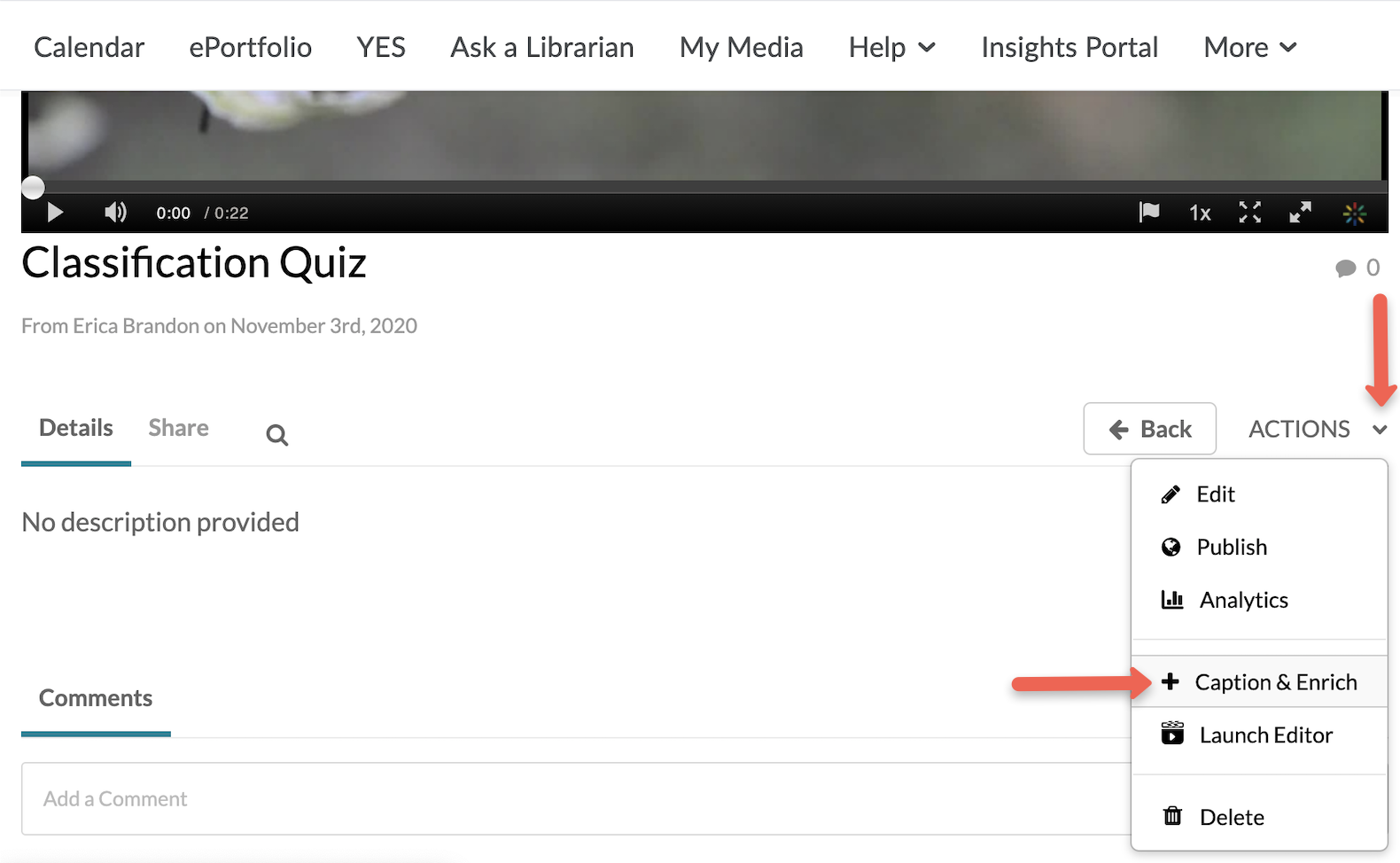
- In the video edit screen, click Actions and select + Caption & Enrich.
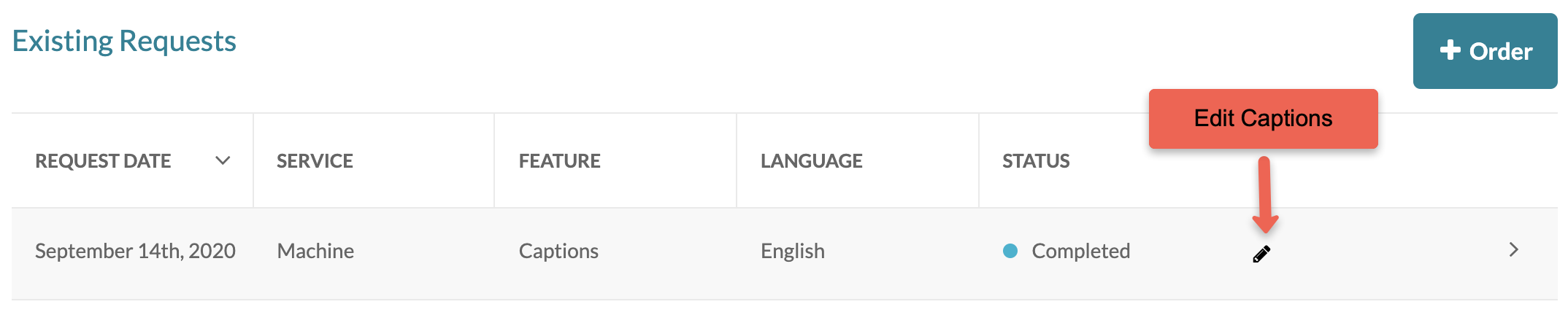
- Click the Edit button.
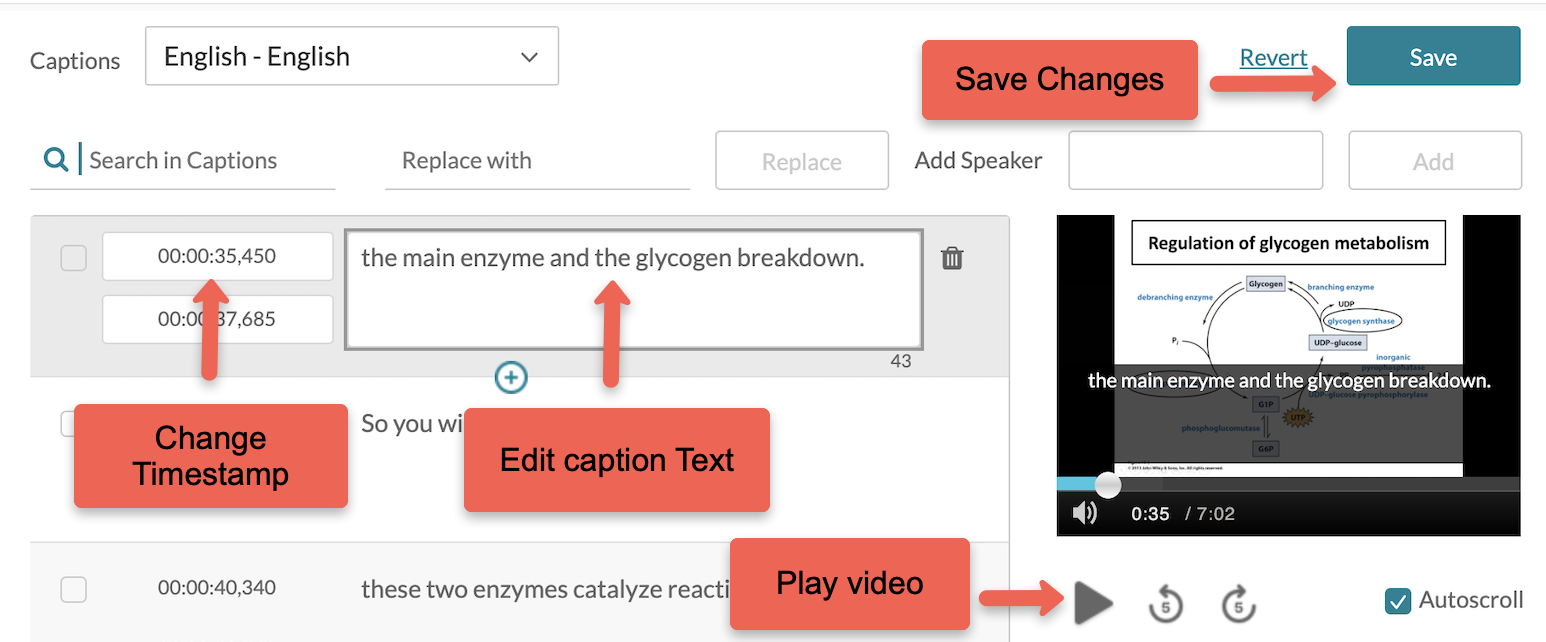
- On this page you can edit the text and time codes. Use the play button to view the current captions. For more instructions, watch Kaltura’s video tutorial or read their detailed documentation. Be sure to Save your edits.
- Once your edits are saved, click the Back button to go back to your video.