Section Management
Sections in a course are used to divide students into separate spaces. This can be useful when it is necessary for students to have different deadlines or access to different content.
Creating Sections
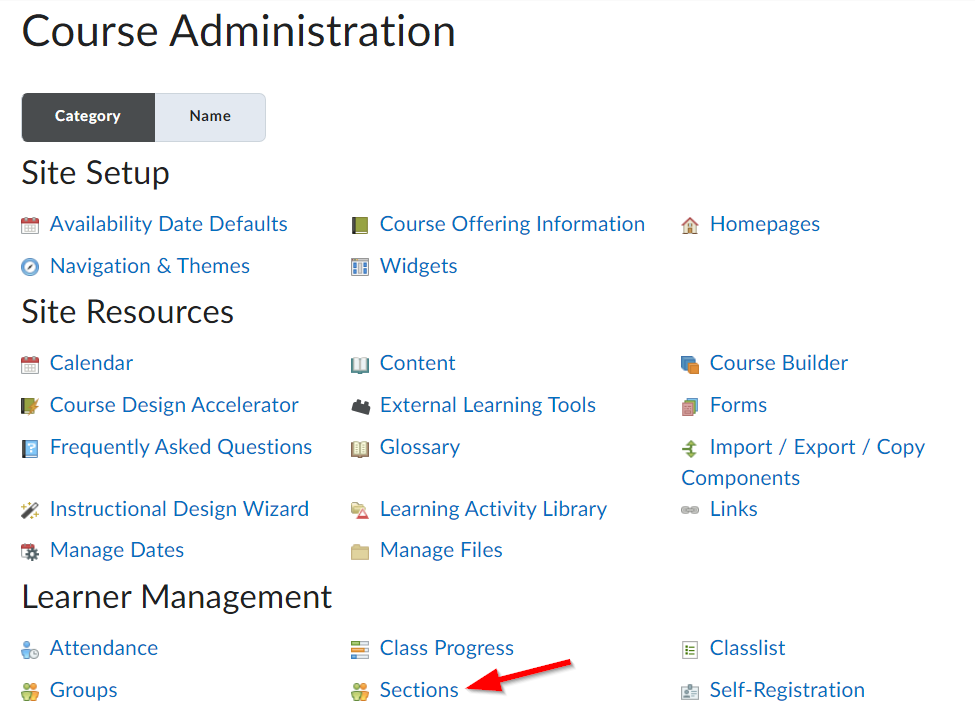
To create sections, navigate to Course Admin > Sections.
From here. choose Create Sections. In most cases, the most appropriate option will be to choose # of Sections, then enter the number of sections you would like to create. The remaining options are up to your discretion. Click Create when finished.

Editing Sections
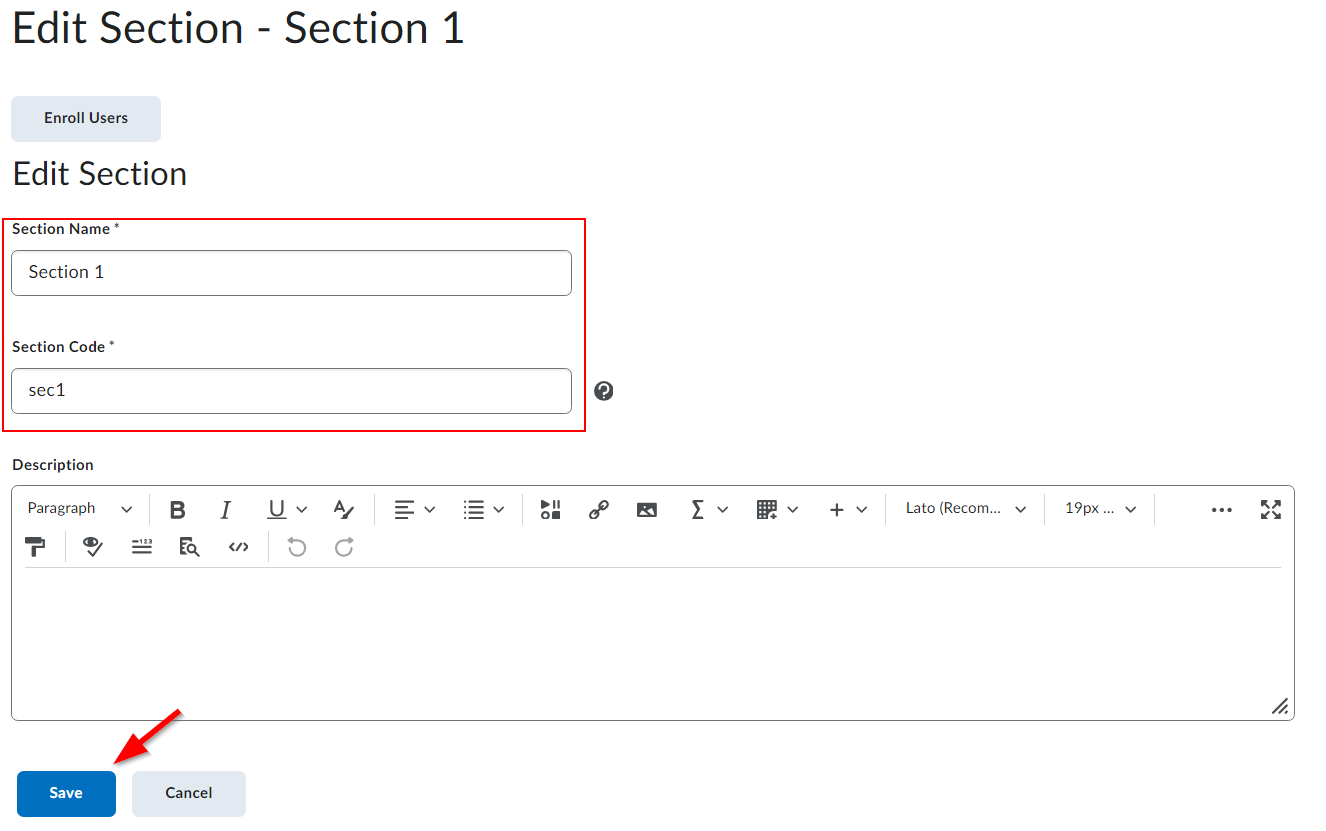
Sometimes it may be useful to give sections specific names to indicate their purpose. To do so, navigate to Course Admin > Sections and click on the section you would like to modify. From here, modify the section name and code as you see fit. Be sure to save your changes when you’re done.