
January 2026 Brightspace Updates
As we begin 2026, there are several updates coming to Brightspace. Below are some highlights of what we can expect. Additionally, there’s a link to the full D2L Release Notes at the bottom of this post.
- Announcements – Images now appear in emailed Announcement notifications
- Assignments, Quick Eval – Improved usability for assistive technology users
- Classlist – Export Classlist details to CSV and improved Print output
Announcements – Images now appear in emailed Announcement notifications
When instructors create an announcement (or administrators create a global announcement) which includes in-line images, any instant notification or emailed copy of that announcement now includes those images in the body of the email. Previously, only images added as file attachments to the announcement were included with the notification email, and in-line images were not shown.
Note: This update applies only to images. Videos embedded in announcements are not included in emailed announcement notifications.
This change ensures that learners who rely on email notifications can see the same visual content that appears in the original announcement, helping them notice important information that may have previously been missed when images were omitted from the email version.
Assignments, Quick Eval – Improved usability for assistive technology users
As part of their ongoing commitment to accessibility and inclusive design, with this release, D2L has made several updates to enhance the experience for users relying on assistive technologies.
- The Submissions page in Assignments: The dropdown menus for submissions, feedback, and results per page now include accessible labels. Previously, these menus only had titles, which some screen readers could miss. This change ensures that all users can access and understand these controls.
- The Submissions view in Quick Eval: The number of search results returned is now read aloud by assistive technology, making it easier for users to understand the scope of their results.
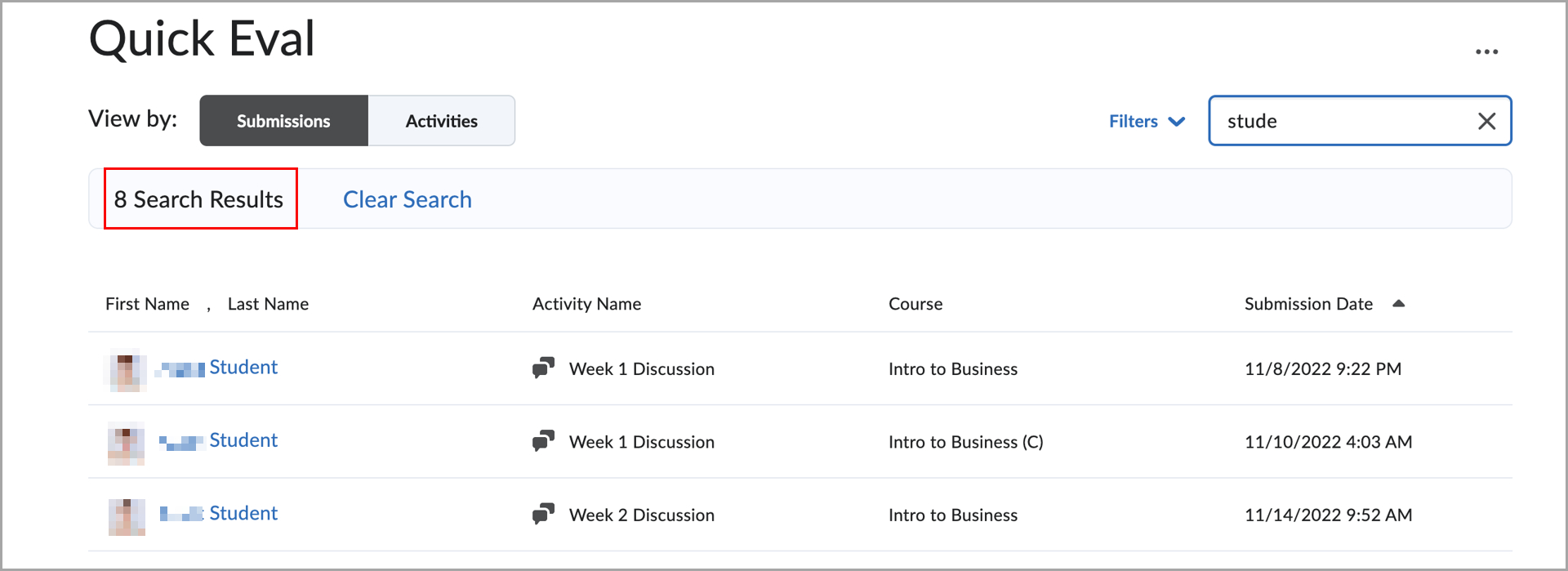
Figure: Quick Eval interface displaying filtered submission results, with the number of returned results now read aloud.
- The Activities view in Quick Eval: The status messages that show the number of search results are now accessible to screen readers, improving clarity and usability for all users.

Figure: Quick Eval interface showing filtered activity results based on a search query, with the number of returned results now read aloud.
Classlist – Export Classlist details to CSV and improved Print output
Note: The Classlist export feature has currently been disabled by D2L. This feature is scheduled to be reenabled at a future date.
The Classlist tool now includes a new option that allows instructors to export Classlist details to a CSV file. The new Export button provides a quick way to download all users, or a selected subset of users, along with the same details that are visible in the Classlist view. This update makes it easier for instructors to use Classlist information for administrative or offline processes outside of Brightspace.
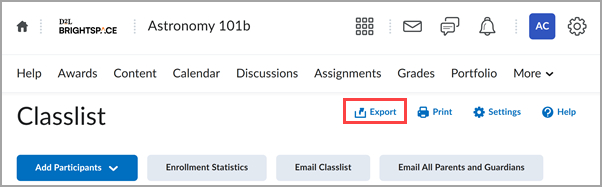
Figure: A new Export button appears on the Classlist page.
Enhancements to Print functionality
This release also includes improvements to the existing Print option in the Classlist. Printed Classlists now display additional information, including pronouns for users (when visible in the Classlist) and details about which course the printout originated from. These enhancements provide more complete context when Classlists are printed for in-person workflows or record keeping.
Leave a Response