Retrieving Shared Notes
If you know someone in the class that could share notes, you can share our page on registering to be a peer notetaker with them.
After we've successfully recruited a volunteer peer notetaker, you should receive an email notifying you that someone has been assigned. You will also receive a notification each time new notes are uploaded to the portal. To access these shared notes:
- Log into the Commodore Access Portal and go to the link labeled Notetaking Services on the left side:
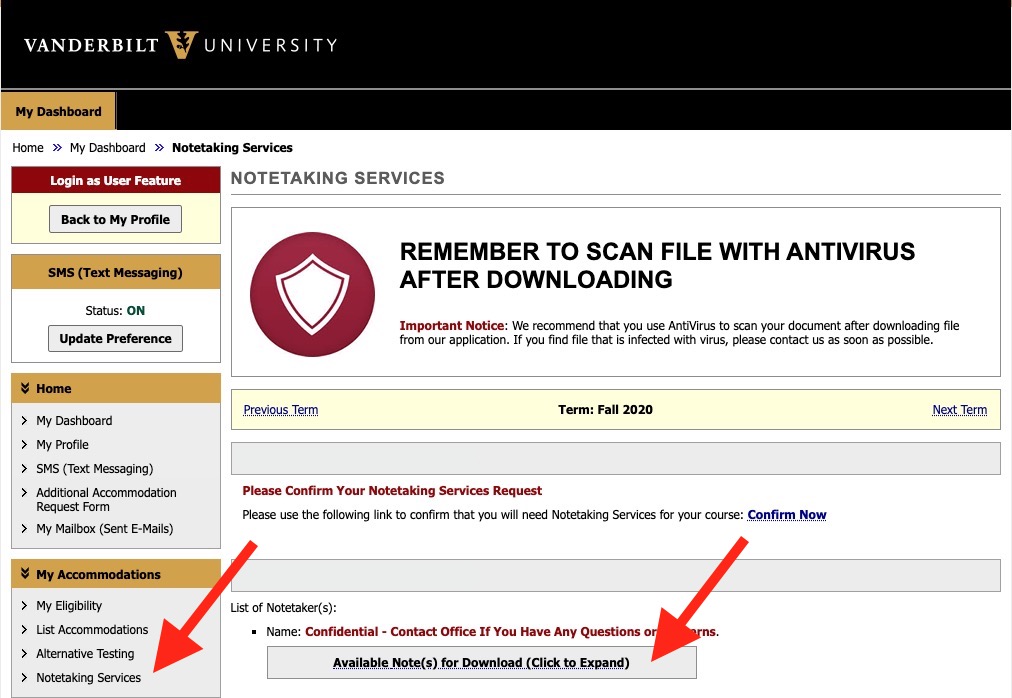
- Click the button labeled Available Notes for Download to view all available notes.
If you have any difficulties, reach out to SAtech@Vanderbilt.edu